Bring your deck: an MPC Fill XML, a deck link or a list
Print a deck from an MPC Fill XML with every image you picked, or a Moxfield or Archidekt link or a pasted list: what each import keeps and what it leaves out.
Updated
There are three ways to bring a deck into the Studio, and each keeps different things. An MPC Fill XML keeps every image you already picked. A Moxfield or Archidekt link keeps the list and asks about the sideboard. A pasted list keeps the names and counts. Here is exactly what carries over from each, so nothing surprises you when the cards arrive.
| MPC Fill XML | Moxfield or Archidekt link | Pasted list | |
|---|---|---|---|
| The art | Every image you picked | MPC Fill art matched by name, or the printings in the deck | MPC Fill art matched by name |
| Counts | Kept | Kept | Kept |
| Card backs | The file's backs | The Sideboarding back until you pick one | The Sideboarding back until you pick one |
| Sideboard | Whatever the file holds | You choose what to print | You choose what to print |
| Maybeboard | Not in the file | Left out | Asked about with the sideboard |
| Tokens | Whatever the file holds | One click from the deck's token list | One click from the deck's token list |
From an MPC Fill XML
If you built the deck in MPC Autofill for MakePlayingCards, the XML it saved works here as it is. In the Studio, choose upload an MPC Fill XML, or drop the file anywhere on the page. You can also paste the XML's text.
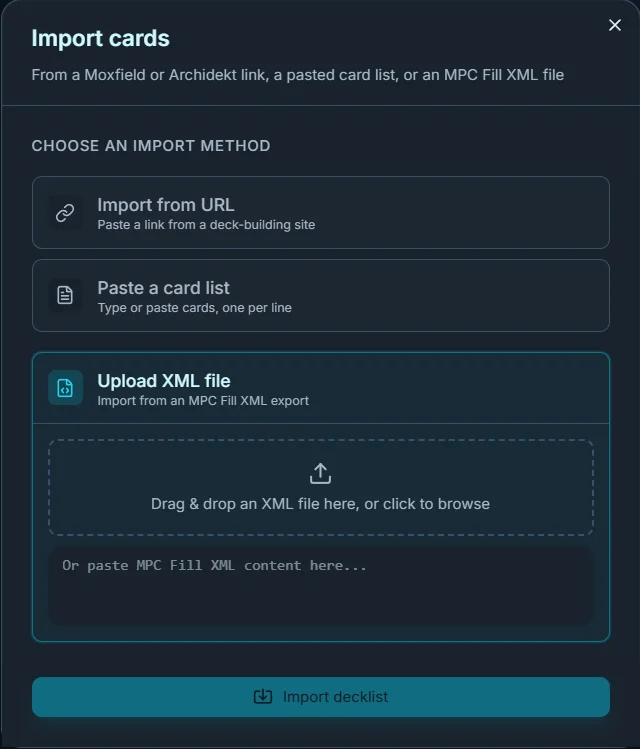
What carries over:
- Every image choice. Each slot keeps the exact image you picked in MPC Autofill, including community renders and alternate frames.
- The counts. Four slots of the same image are four copies.
- The backs. The deck's common card back becomes the deck's back, and a card with its own back in the file (a double-faced card, or a token printed on the back of another) keeps it.
What does not:
- MPC's stock and finish. The file's card stock and foil settings are MakePlayingCards' options, and we do not use them: we print one card, 200 gsm photo paper with a matte lamination on both sides, whatever the file says. What the cards are made of has the detail.
- MPC's pack pricing. You pay per card, not per pack: $0.50 a card, or $0.40 from 100 cards. A 100-card deck from an XML is $40.
No autofill script, no browser extension, and no minimum pack size: the file goes in, the deck comes out laid out for you to check.
From a Moxfield or Archidekt link
Paste the deck's URL into the Studio. The import reads the list straight from the site; you do not need to export anything.
What it keeps:
- The main deck, with the commander. On Moxfield, the companion and Oathbreaker signature spells come in with the main deck too.
- The sideboard, which it asks about before anything is added (below). On Archidekt, the sideboard is the cards in a category named Sideboard.
- Double-faced cards with both faces, so a transforming card or a modal double-faced card prints front and back.
What it leaves out:
- The maybeboard. On Archidekt, that is every card whose categories are all left out of the deck.
- Tokens. They are not part of the deck list on either site. The Studio lists the tokens your cards make, and each one is a click away (below).
Your printings, or MPC Fill's art
Before the import runs, you choose where the art comes from:
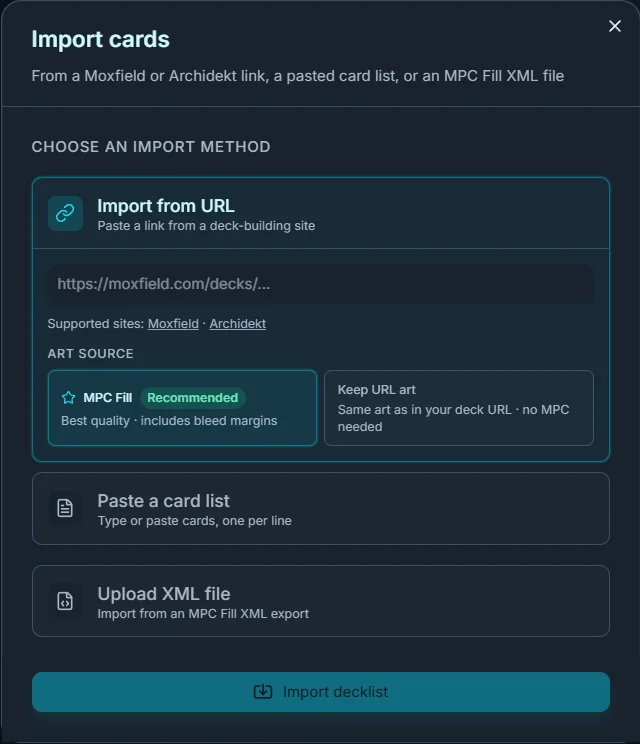
- MPC Fill (recommended) starts every card from the top MPC Fill image for its name. These are high-resolution scans and renders with bleed, the margin that lets the cut land cleanly. It matches the card's name, not the printing you chose on Moxfield or Archidekt, so a Secret Lair or a showcase frame starts as a standard image.
- Keep URL art keeps the exact printing in your deck, from Scryfall's images. Those have no bleed and can show a thin white edge after cutting.
Either way, you can change any card's art afterwards. If a special printing matters to you, check those cards in the Studio before you order: the art you see there is the art we print.
From a pasted list
One card per line, with a count in front. Exports from Moxfield, Archidekt and MTG Arena paste as they are:
1 Atraxa, Praetors' Voice *CMDR*
4 Lightning Bolt
1 Fell the Profane (MH3) 244

Sideboard
2 Pyroblast
The set code and collector number after a name are fine, as are Archidekt's categories and Moxfield's tags; the art still starts from MPC Fill's match for the name. Section headers such as Creatures (25) or [Ramp] are skipped. A Sideboard or Maybeboard line starts the sideboard, and a blank line does not, so a list grouped by blank lines stays one deck. Any name the Studio cannot find is flagged for you to fix in place.
Sideboards and tokens
When a link or a list has a sideboard, the Studio asks before adding it:
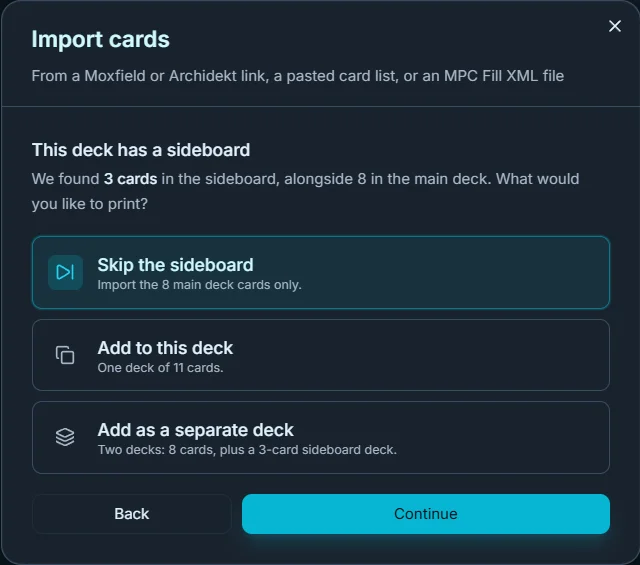
- Skip the sideboard: import the main deck only.
- Add to this deck: one deck with both.
- Add as a separate deck: two decks in one order, so the sideboard stays apart in the box. Every card in the order counts toward the 100-card price.
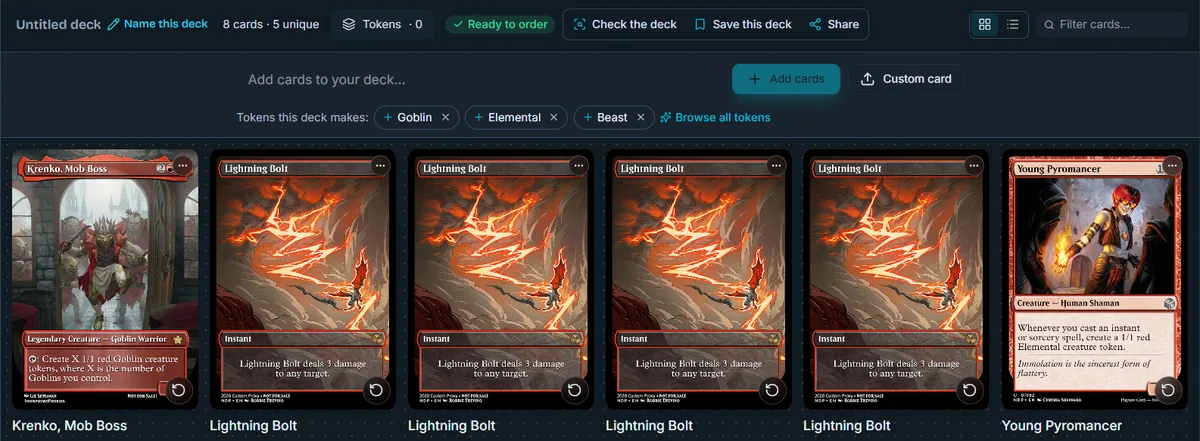
Under the bar where you add cards, Tokens this deck makes lists the tokens your cards create. Click one to add it. A token can print on the back of another card, so a pair of tokens costs one card; what the cards are made of covers double-sided cards and backs.
Questions
Does the XML keep the art I picked in MPC Autofill?
Yes. Every slot keeps the image it names, and the backs come with it. What changes is the card itself: one matte finish on 200 gsm photo paper, whatever stock the file asks MakePlayingCards for.
Will my Moxfield or Archidekt printings carry over?
Only if you choose Keep URL art when you import. The recommended MPC Fill source matches each card by name and starts it from the top MPC Fill image, which may be a different printing. You can switch any card afterwards.
Can I import a second deck into the same order?
Yes. Import each deck on its own; they share one cart and one shipping charge, and the card count of the whole order sets the price per card.
What if a card is not found?
The Studio flags it and lets you search for it or pick its art by hand.
Pick the art. We print the deck.
A 100-card deck is $40. No account needed to build a deck.